
AI for kids, with a parent in charge
Homework help, curious questions, stories and pictures, on an AI where you set the rules for each child and can see what was asked.
Children are going to use AI: for homework, for curiosity, for the stories and pictures they love making. The question for a parent is which AI, and who sets the boundaries. General chatbots are built for adults, rely on the model to behave, and show you nothing.
Navōn is built so a parent stays in charge. Each child has their own account and their own settings: how strict, which subjects to keep off, when it can be used and for how long, and which tools are on. Every question and answer is checked on our servers, pictures are drawn modestly, and you can see what was asked and what was declined.
What to look for in AI for kids
Settings per child
A ten-year-old and a sixteen-year-old need different boundaries. Navōn sets everything per child.
Time limits
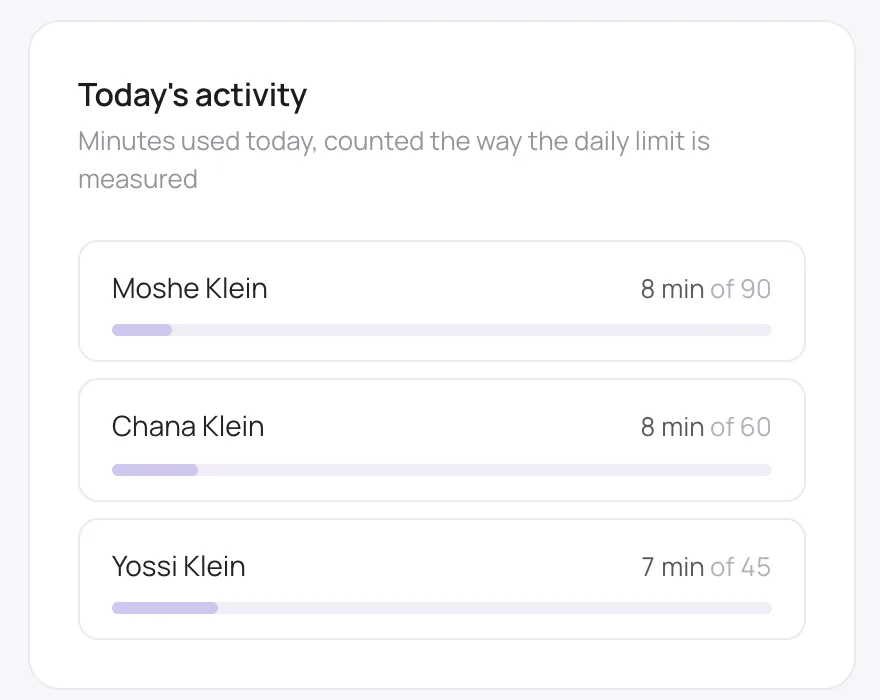
Allowed hours and a daily time budget, so AI fits around homework, Shabbos and bedtime rather than taking over.
Tools you can switch off
Turn off pictures or the homework helpers for a child who isn’t ready, and leave the rest on.
Modest pictures
Every picture is asked for modestly and checked before it’s shown.
Visibility
See what your child asked and what was declined, with a weekly summary by email.
Alerts that matter
If a child writes something that suggests distress or self-harm, Navōn answers kindly, points them to a trusted adult, and emails you within moments.
How it works for a family
- 1
Add each child
From the Family Hub, add or invite your children. Under 13, a parent sets up the account; from 13 they can be linked to you.
- 2
Choose their settings
Strictness, subjects to keep off in your own words, hours, daily minutes and tools, per child. Settings are locked behind your passcode.
- 3
They use it anywhere
Phone, tablet or computer: the filtering follows their account, not the device.
- 4
You stay in the loop
Activity, refusals and a weekly summary, plus an immediate email if something sounds wrong.
AI for kids compared with a general chatbot
| General-purpose chatbot | Navōn | |
|---|---|---|
| Made for | Adults | Families, with a parent in charge |
| Settings per child | None | Strictness, topics, hours, minutes, tools |
| Pictures | Whatever the prompt implies | Modest, checked before shown |
| What a parent sees | Nothing | What was asked, what was declined, weekly summary |
| Worrying messages | No one is told | The parent is emailed within moments |
| Can the child change it | Yes, in their own settings | No: locked behind the parent’s passcode |
Questions people ask
Thirteen and over on their own; younger children through an account a parent sets up and supervises.
Your efficiency is too important to neglect.
Your values are too precious to risk.