AI for schools, on the school’s terms
Give students and staff the best AI models with your school’s rules enforced on every device, and the oversight to see how it’s being used.
Students already use AI, on school laptops and at home. A school can ban it and lose the benefits, or allow a general chatbot and lose control. Navōn is the third option: AI your school can allow, because the school sets the rules and can see what happens.
Every student’s questions and answers are checked on Navōn’s servers against your school’s policy, which follows them onto any device. Admins and teachers see what students asked and what was refused, and get alerted to anything worrying. Teachers can run classes, set assignments and grade the work, all in the same place.
What a school should look for in AI
One policy, enforced everywhere
The school’s rules belong to the student’s account, so they apply on a school laptop, a phone and a home computer alike.
Rules by class, grade or age
Different rules for different groups, including allowed hours and subjects to keep off.
Staff oversight
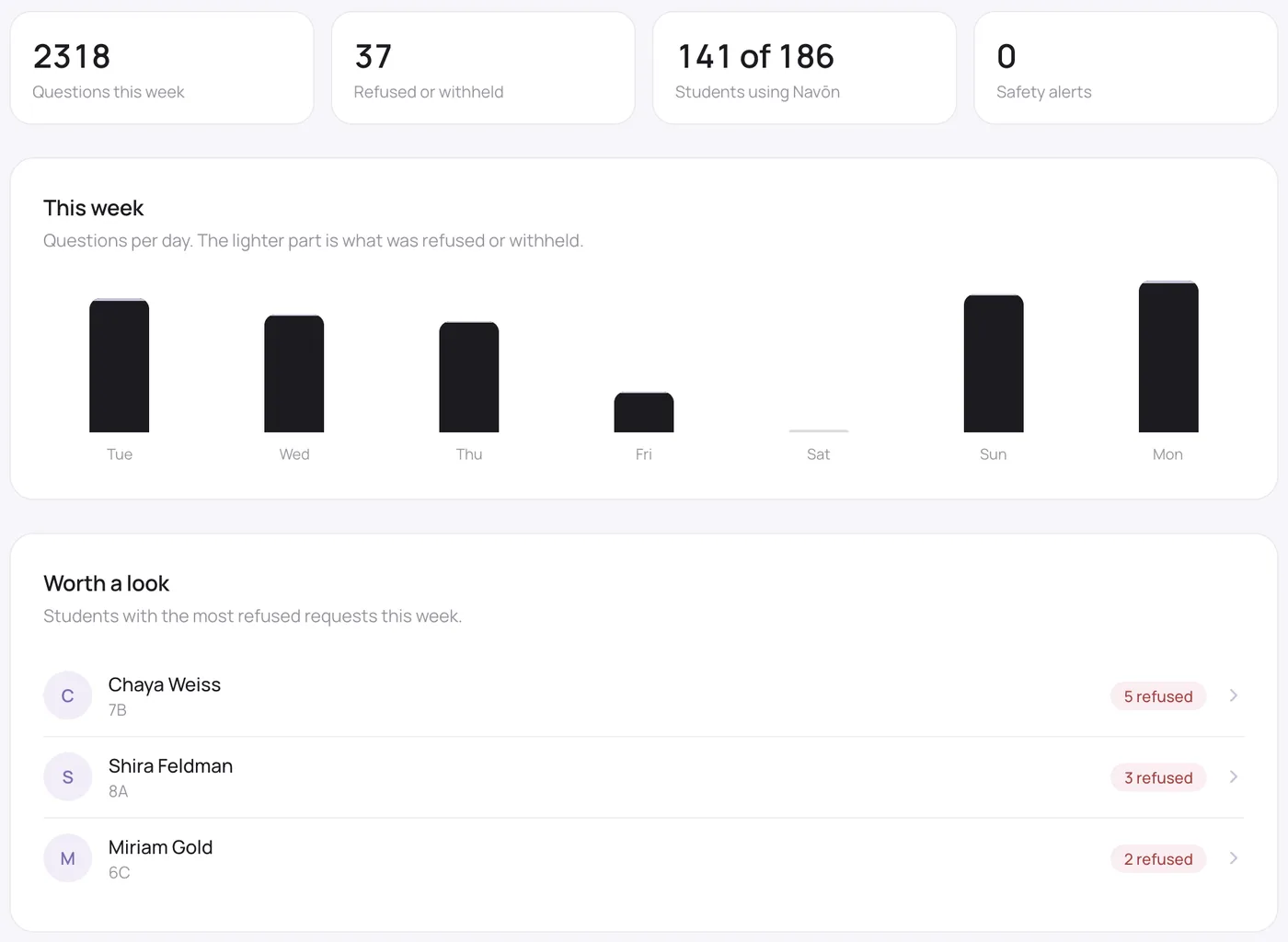
Admins and teachers see what students asked, Navōn’s replies and what was refused, with a weekly overview. Students are told plainly that their school can see this.
Alerts
If a student writes something that suggests distress or self-harm, the school’s admins are emailed within moments.
Classwork built in
Classes, assignments with due dates, a gradebook of every student, and feedback, without another platform.
Simple, fair pricing
Per student, with staff and parents free, and seats you can change any time.
How a school gets started
- 1
Start your school
At navon.org/schools/start: name the school, choose student seats, pay by card. Or ask for a walkthrough first.
- 2
Add staff and students
One at a time or by importing a list, with usernames or email invitations, and a printable sign-in sheet.
- 3
Set the policy
Choose the strictness and subjects to keep off for the whole school, or by class, grade or age.
- 4
Teach and oversee
Teachers run classes and grade work; admins see activity, refusals and alerts.
AI for schools compared with a general chatbot
| General-purpose chatbot | Navōn | |
|---|---|---|
| Who sets the rules | The provider | The school, by class, grade or age |
| On students’ home devices | No school control | School policy follows the account |
| Staff visibility | None | What was asked, replied and refused |
| Worrying messages | No one is told | School admins emailed within moments |
| Classwork | Separate tools | Classes, assignments and grading built in |
| Price | Per user, staff included | $8 per student a month; staff free |
Questions people ask
$8 per student a month, or $80 a year. Teachers, staff and parents are free, and you can change the number of seats at any time.
Your efficiency is too important to neglect.
Your values are too precious to risk.